Free for all UK schools

AI-powered revision for your students

AI Revision Bot gives every student instant, personalised feedback on their written answers, powered by Google Gemini. Teachers get a full marking dashboard, analytics, and a badge reward system. No subscription. No per-student fee.

100% Free

No licence fee. No per-seat charge. The only cost is your own Google Gemini API key, typically around 60p a month at free-tier rates.

Everything you need for formative AI assessment

Built by a teacher, for teachers. Every feature came out of real classroom use at Exeter College.

🤖

Instant AI feedback

Students submit written answers and receive structured, mark-scheme-aware feedback within seconds via Google Gemini 2.5 Flash. No waiting for a teacher to mark a pile of books.

📊

RAG rating system

Teachers review AI feedback and apply Red, Amber, or Green ratings. The system tracks performance over time and shows clear improvement trends per student and per class.

🏆

Badge reward system

Students earn badges across four tracks: Green %, Amber/Green %, No-Red streak, and Green streak. Badges show in the nav bar and on a dedicated progress page, and they are genuinely motivating.

🖼

Multimodal answers

Students can upload diagrams, sketches, or screenshots alongside their written answer. Gemini analyses both text and image together, ideal for science, maths, and computing.

👁

Teacher dashboard

A live admin view shows all student responses, uploaded graphics, and teacher notes. Auto-refreshes every 30 or 60 seconds so you can monitor the room without touching your keyboard.

📋

Rich text everywhere

Questions, mark schemes, and student answers all support bold, italic, subscript, superscript, code blocks, and lists via a TipTap editor. Write H₂O and x² properly at last.

📈

Advanced analytics

Time-based RAG progress graphs, class comparison tables, per-subject breakdowns, and CSV export for your own records. AI-suggested ratings fill in the gaps for unreviewed responses.

👤

Full user management

Bulk CSV upload for your entire cohort, automatic welcome emails, forced password change, account deactivation, and class management. Everything a department head needs.

🔒

Secure by design

All API endpoints require signed bearer tokens. Admin functions are locked behind role-based access control, and directory browsing is blocked. Student data stays on your own server, or ring-fenced on ours, and is never shared with third parties.


Marking that makes progress visible

The Red/Amber/Green rating system gives students a clear signal without a number grade to argue about. Patterns in the data tell you who needs help before they fall behind.

When a teacher (or the AI as a fallback) rates a response, students see their running totals on their progress page:

Red Needs significant work, key concepts missing
Amber Partially there, some gaps remain
Green Strong response, secure understanding

The analytics dashboard uses COALESCE(teacher_rating, estimated_grade) so class statistics remain meaningful even before teachers have reviewed every answer.

Badges students actually want to earn

Hand-crafted steampunk medallions reward consistent progress across four tracks. They appear in the menu bar and on the My Progress page, turning revision into something worth coming back to.

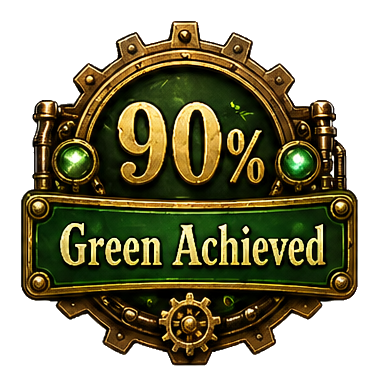
Green Achieved badge

Green %

Earned as a student's share of Green-rated answers climbs, from 25% all the way to 90%.

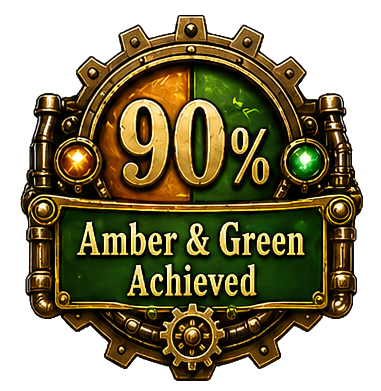
Amber and Green Achieved badge

Amber/Green %

Rewards overall security: the combined proportion of answers rated Amber or Green.

Green Streak badge

Green streak

For consecutive Green answers, recognising a run of strong, secure responses.

No Red Streak badge

No-Red streak

Celebrates consistency: a run of questions with no Red rating in sight.

From question bank to feedback in seconds

Teachers build the question bank. Students practise. The AI does the marking. You review, rate, and act on the data.

1

You set up the question bank

Upload questions and mark schemes for any subject you teach. Rich text supports subscripts, superscripts, code, and lists right out of the box.

2

Students log in and practise

Questions are served in random order. Students type their answer, or upload a diagram, and submit. Answered questions get a green tick so they can track their coverage.

3

Gemini gives instant feedback

Google's Gemini 2.5 Flash reads the answer against the mark scheme and returns structured, constructive feedback within a few seconds.

4

You review and rate

Your teacher dashboard shows every response. Apply a RAG rating and add a comment where needed. The analytics update immediately.

5

Students see their progress

Badges earn as performance improves. Progress graphs show RAG trends over time. Students who are flagging are easy to spot before it matters in an exam.

Works for any written subject

If you can write a mark scheme, AI Revision Bot can assess against it. The question bank is yours to build, covering exactly the topics your cohort needs.

Currently in use at Exeter College for:

GCSE English Language GCSE Maths NCFE L2 Coding NCFE L2 Cybersecurity NCFE L2 Data Analysis BTEC L3 IT Unit 1 T-Level Digital + any subject you teach →

Self-hosted, open source, yours to keep

AI Revision Bot runs on a standard PHP/MySQL web host, the kind your school may already have. There is no SaaS dependency, no ongoing vendor relationship, and no lock-in.

Frontend React 18 + Vite. Runs in any modern browser, no app install for students.
Backend PHP 8 + MySQL. Runs on any standard Apache/Nginx host.
AI engine Google Gemini 2.5 Flash via your own API key, so you control the spend. Typical cost works out at around 60p per month.
Email PHPMailer with SMTP, works with any outgoing mail server.
Data storage & security Host it on your own server, or let us run it on ours, where each school's data is fully ring-fenced from every other. No student data goes to third parties, and because Exeter College uses the platform itself, your GDPR and safeguarding obligations are already covered.
Licence CC BY-NC-SA 4.0, free for educational use, forever.
🔑

You need one thing: a Google Gemini API key

Each school provides and pays for its own key, and the cost is tiny. Visit Google AI Studio, sign in with a school Google account, and create a key. You then add it through your own admin account, where it is stored encrypted in the database, never in a plain config file and never shared with us. This works the same way whether you self-host or we host for you. Google's free tier comfortably covers normal classroom use; beyond that you only pay for what you use, typically around 60p a month.

Ready to get started?

An enquiry is free (as is the aibot)and takes five minutes. We send you access to the codebase, a setup guide, and the SQL database template. All we ask is that you let us know how it goes - because I'd like to publish some research and case studies.

1

Register your school — email us using the button below and we'll be in touch with download links and setup instructions.

2

Get your Gemini key — takes two minutes at Google AI Studio. You add it in your admin account, where it is stored encrypted. Free to start.

3a

Deploy it yourself — copy the files, import the SQL template, add your config, and you're live. The GitHub README walks you through each step.

3b

Or let us host it — we'll run your instance on Exeter College's servers, with your data ring-fenced from every other school and never shared with third parties. Because we use the platform ourselves, it already meets our GDPR and safeguarding standards — and it's still completely free.
4

Build your question bank — add subjects, topics, and questions. Bulk CSV upload lets you get a whole year group set up in minutes.

How would you like to run it? *

Your details are emailed straight to the AI Revision Bot team. Nothing is stored, and nothing is shared with anyone else.